
If you manage more than one profile, premium pages let you choose which profiles get your plan's paid features. Each profile you turn on uses one premium page.
How many premium pages you get
Plan | Premium pages |
|---|---|
Free | None |
Pro | 3 |
Business | 6 |
You can create unlimited profiles on any plan. Premium pages only decide which of them get Pro or Business features.
Turn premium on for a profile
In your dashboard, click Billing in the sidebar.
Find the Premium pages section. It shows how many you've used, for example "2 of 6 used".
Turn on the switch next to each profile you want to upgrade.
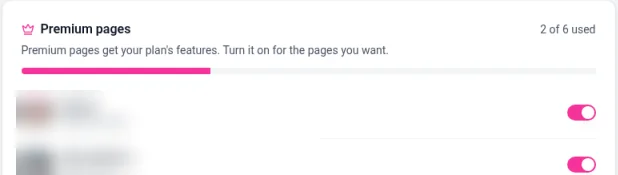
To move premium to a different profile, turn it off on one profile and on for another.
What a premium page gets
A premium page gets the features of your plan, such as scheduled links, passcode protection, widgets and the Events and Gallery tabs on Pro, plus Shopify, white label and custom CSS on Business. See Free, Pro and Business plans compared.
Profiles that aren't premium pages keep working as normal, without your paid plan's features. After you switch premium off for a profile, click View on its dashboard to see how it looks to visitors.