
NerdyTags is also a place to meet other creators. You can browse profiles on Discover, follow people, and message the people you follow.
Discover
Click Discover in the sidebar of your dashboard to browse profiles.
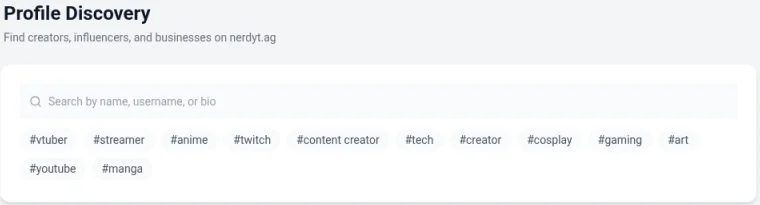
Search by name, username or bio.
Filter by hashtag, such as #vtuber, #streamer, #anime, #gaming, #art or #cosplay.
Sort by Trending, Most followed, Most viewed or Newest.
Browse the Spotlight carousel and popular games.
Each profile card has Message and View profile buttons.
Get found on Discover
Your profile appears on Discover when Show in Discover is on. Add up to 10 Profile tags so people with similar interests can find you. Both are in Settings > Profile. See Profile and privacy settings.
Followers and following
Click Connections in the sidebar to see your Followers and Following lists.
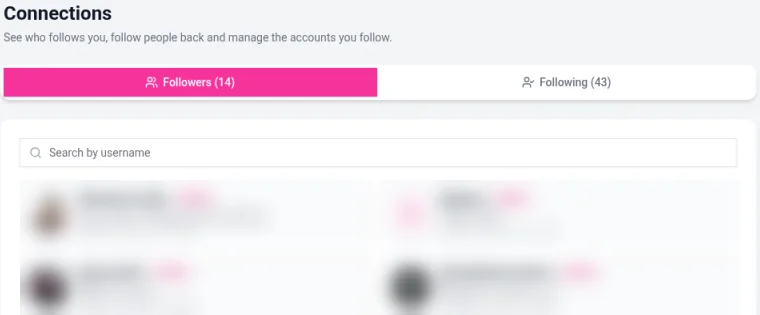
Search either list by username.
Click Follow Back to follow someone who follows you.
People who follow each other are marked Mutual.
To follow someone, open their profile and click Follow.
Messages
Click the Messages icon at the top of the dashboard to open your conversations.
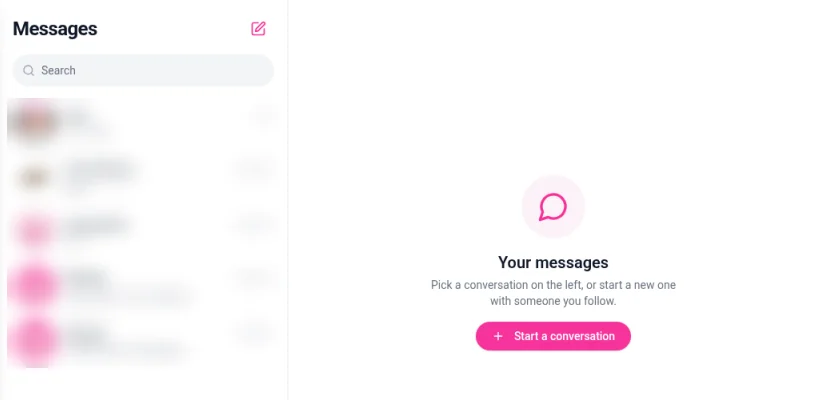
To start a new chat:
Click the pencil icon (New chat).
Find the person. You can start a conversation with someone you follow.
Type your message and send it.
You can also click Message on a profile card in Discover, or on someone's public profile.
Control who can reach you
In Settings > Privacy you can turn off Allow followers or Allow messages, or turn on Only followers can message. In Settings > Account, Blocked users lists anyone you've blocked. See Profile and privacy settings.
Stay in the loop
New followers and messages show up under the bell icon (Notifications). Turn push alerts for them on or off in Settings > Account. See Managing your notifications.