
A QR code lets people open your profile by pointing their phone camera at it. It's handy for posters, merch, business cards, table signs and stream overlays.
Get your QR code
In your dashboard, click QR & NFC in the sidebar.
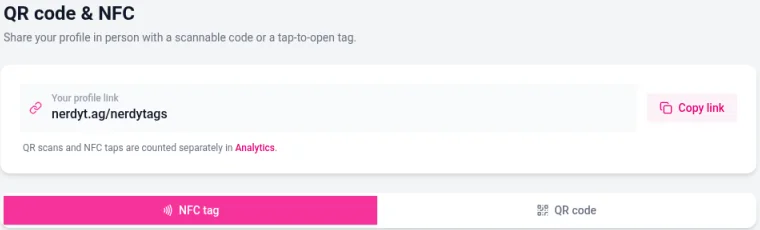
Click the QR code tab.
Style your code (see below). The preview updates as you go.
Choose a format: PNG for most uses, or SVG for printing at any size without losing quality.
Choose a size: Small, Medium, Large or Print.
Click the download button. Its label matches the format you picked, for example Download PNG.
Style your QR code
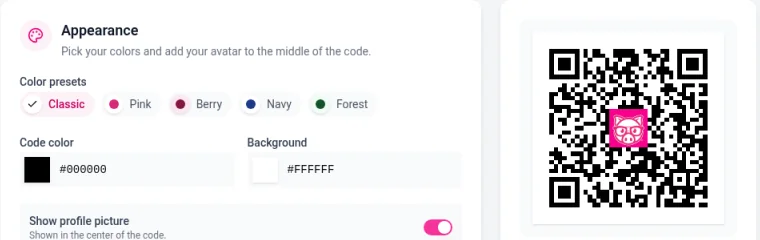
Under Appearance you can:
Pick a color preset: Classic, Pink, Berry, Navy or Forest.
Set your own Code color and Background color.
Turn on Show profile picture to put your profile photo in the center of the code.
Under Advanced you'll find Error correction (L, M, Q or H) and Margin. Higher error correction keeps the code scannable even if part of it is covered or damaged, which helps when you show your profile picture in the middle. Use M or higher if you turn on the picture.
The same page shows Your profile link with a Copy link button, if you'd rather share the address itself.
Tips for printing
Print it large enough to scan easily. Around 2 cm (about 1 inch) across is a sensible minimum for something held in the hand, and bigger for posters.
Keep plenty of plain space around the code (the Margin setting helps) and use a dark code on a light background.
Scan a test print with a couple of phones before you print a large batch.
Keep your QR codes working
Your QR code points to your profile address. If you change your username, the address changes and codes you've already printed stop working. You can change your username once every 7 days, so think twice before changing it once you've printed codes. See Profile and privacy settings.
If you manage more than one profile, each one has its own QR code. Switch to the right profile before you download it.
Track your scans
QR scans and NFC taps are counted separately in Analytics, so you can see how many people found you through your printed codes. See Understanding your analytics.
Want a tap instead of a scan?
NFC tags let people open your profile by tapping their phone on a tag or card. See Using NFC tags with NerdyTags.